Robot Vacuum Mop Odor Removal & Sensor Deep Cleaning Guide | Eliminate Sour Smells & Roller Maintenance
Complete maintenance guide for Roborock, Ecovacs, Dreame, Samsung, and LG robot vacuums: eliminate sour mop odors, set 4-hour hot air drying, deep-clean dirty water tanks & dock wash trays, and clean sensors to prevent navigation errors.
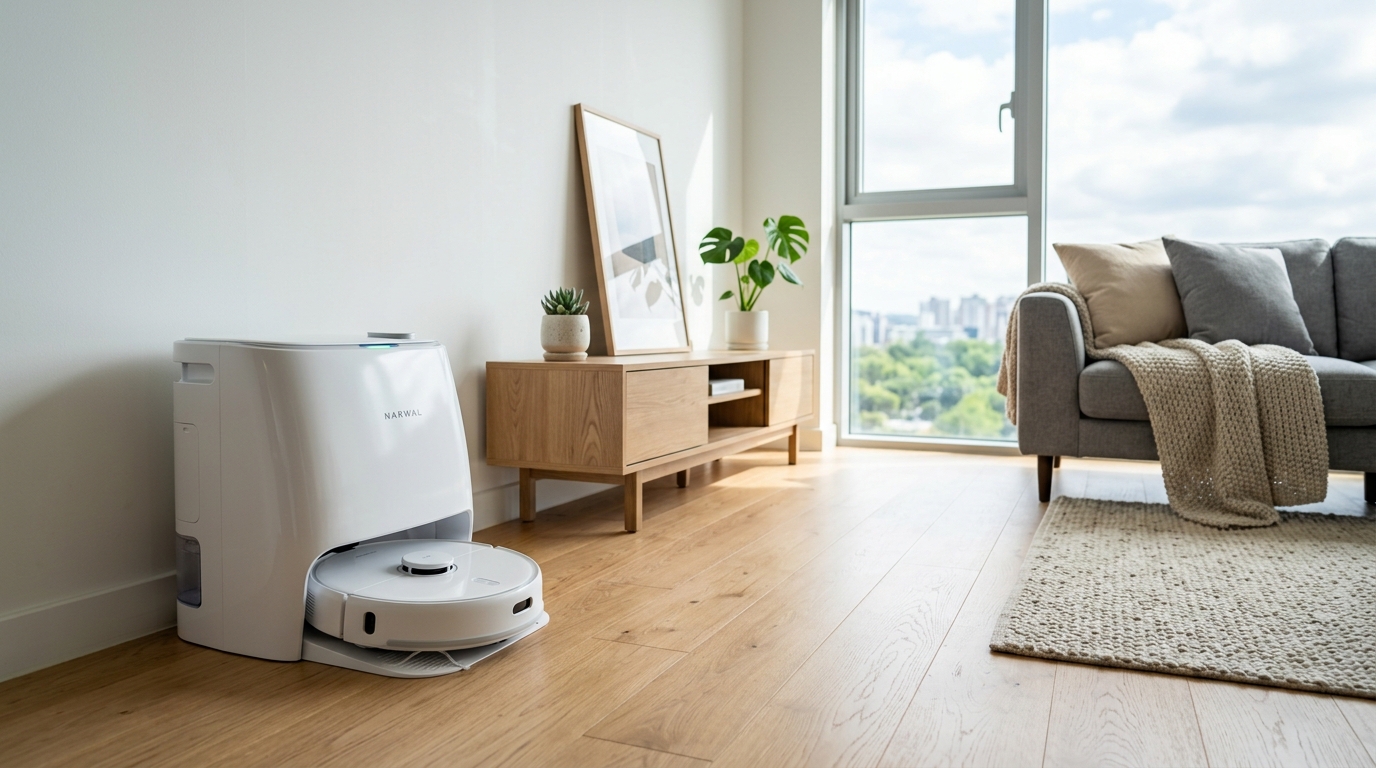
🛠️ Required Tools & Cleaning Agents
🔄 Alternative Detergents & Eco Tips
- OEM Floor Cleaning Solution → Alt: 1% Citric Acid Diluted Warm Water (Neutralizes stale bacterial sour odors deep within mop microfiber without sticky residue)
- Soft Cleaning Brush → Alt: Used Fine-Bristle Toothbrush (Cleans narrow drain grooves and sludge residues inside the dock base wash tray)
- Scissors → Alt: Seam Ripper Tool (Safely slices tangled hair off the roller brush axle without slicing silicone blades)
✨ Step-by-Step Care Instructions
Step 1: Optimize App Settings & Extend Hot-Air Drying to 4 Hours
- Launch the dedicated companion app (Roborock, Ecovacs, Dreame, SmartThings) and navigate to device settings.
- Under Dock Settings, change the default mop drying duration from 2 hours to '4 Hours'.
- Maintaining at least 4 hours of hot-air drying is crucial in humid climates to completely halt bacterial growth in fibers.
- Adjust mop washing frequency settings to return to dock every 10 to 15 minutes for cleaner mopping passes.
Step 2: Power Off Robot, Invert Unit & Inspect Roller and Sensors
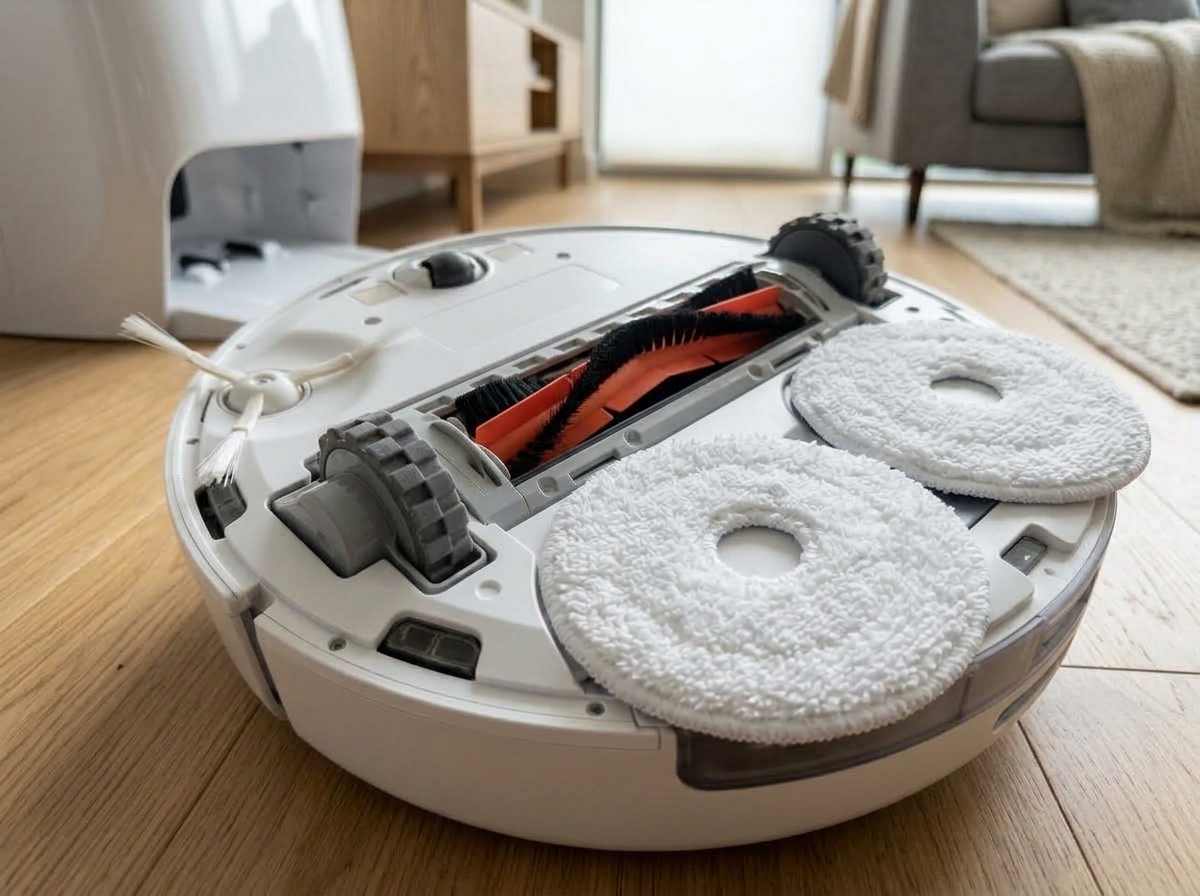
- Press and hold the power button to completely shut down the robot vacuum and safely flip it upside down.
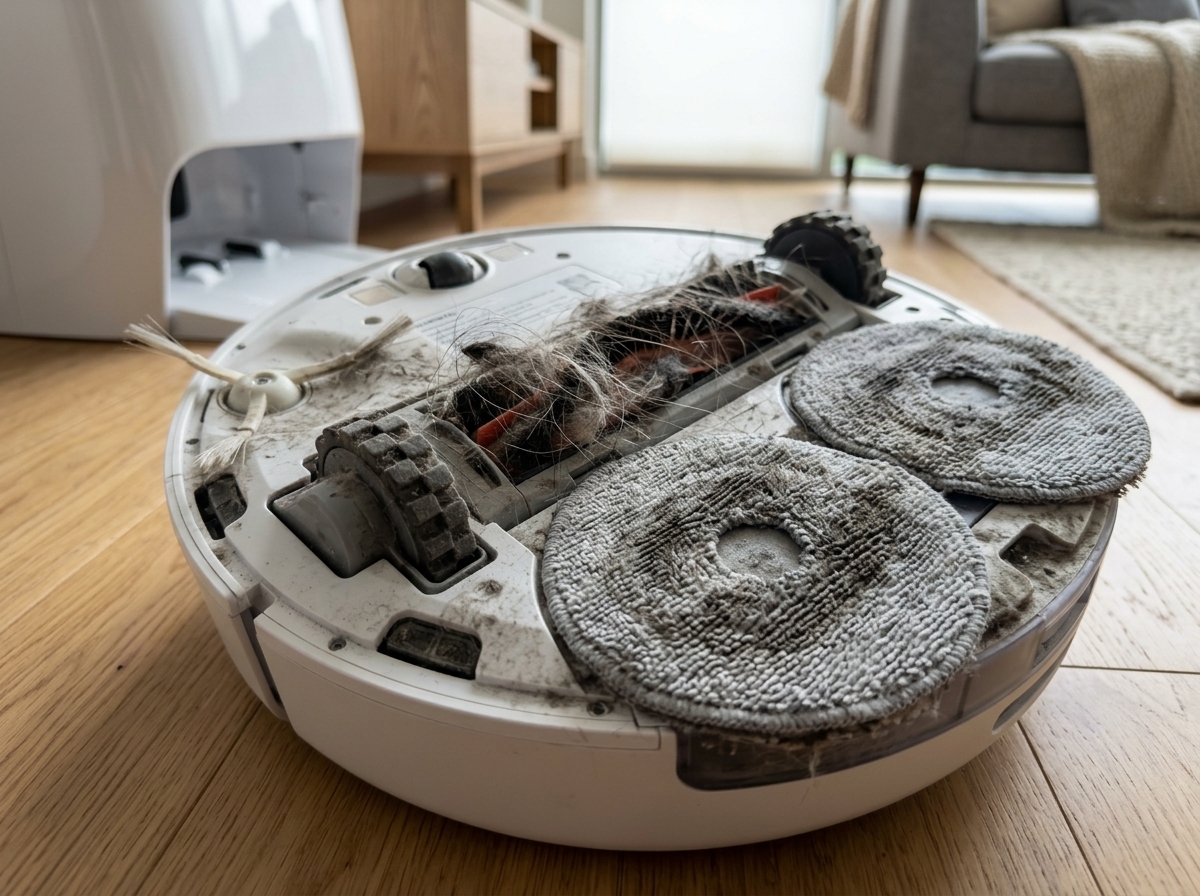
- Press the release latches on the main roller brush guard to inspect hair tightly wound around the axle.
- Peel off the circular spinning pads or vibrating mop cloth from the Velcro base to inspect odor and grime.
- Inspect the 4 to 6 cliff drop sensors and lateral wall-following ToF optical sensors for dust build-up.
Step 3: Deep Sanitize Mop Pads in Warm Citric Bath & Scrub Wash Tray
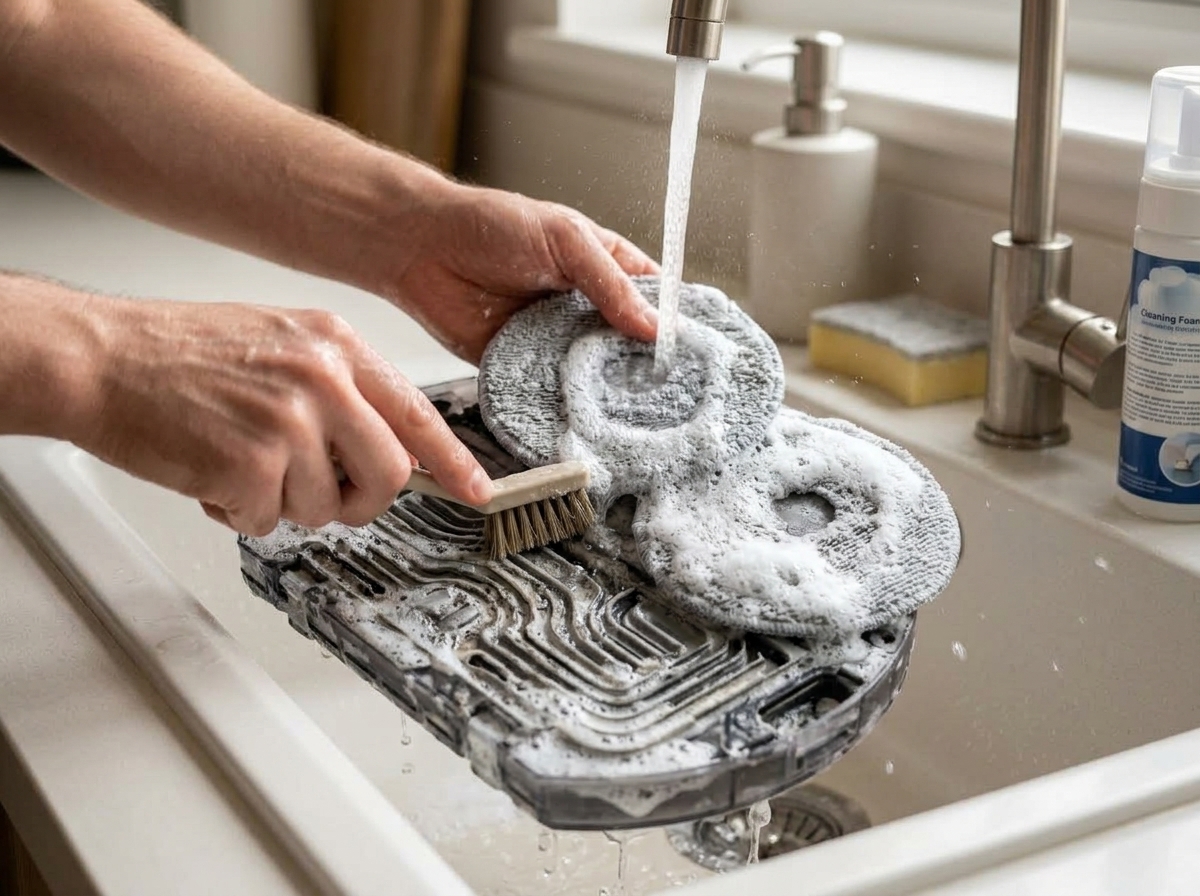
- Fill a basin with 40-50°C warm water, dissolve 1 tablespoon of citric acid (or OEM floor cleaner), and soak pads for 10 minutes.
- Hand-scrub the microfiber pads vigorously to flush out trapped dirt particles and sour volatile fatty acid odors.
- Remove the detachable washboard cleaning tray from the dock station and scrub the slimy sludge from drain channels.
- Empty the dirty wastewater tank, rinse thoroughly with warm soapy water, and leave the lid open to air-dry.
Step 4: Cut Tangled Hair from Roller Axles & Dry-Wipe Optical Sensors
- Use the built-in cleaning tool or precision scissors along the brush grooves to slice and remove wound hair.
- Unscrew the side brush if necessary to pull out hairballs trapped underneath the rotating gear shaft.
- Gently wipe all bottom cliff sensors and front bumper optical sensors with a clean, dry microfiber cloth (never use wet wipes).
- Lightly blow out dust from the rotating LiDAR laser turret using a dry cotton swab or air blower.
Step 5: Reassemble Completely Dry Components & Verify Odor-Free Run
- Install completely air-dried mop pads or switch to a fresh, dry spare set of genuine mop cloths.
- Realign and snap the main roller brush and its locking guard securely into place until it clicks.
- Fill the clean water tank with fresh tap water and the manufacturer-recommended ratio of OEM cleaning solution.
- Park the robot in the dock station, trigger manual 'Wash & Dry Mop' via the app, and confirm fresh, odor-free airflow.
🩺 Self-Diagnosis Guide
✅ Can be restored with care
- Stale sour mop odor spreading across rooms immediately after robot vacuum operation
- Sticky sludge residue and slimy grime buildup on the base station wash tray
- Hair and pet fur wound around the main roller and side brush axles causing rotational noise
- Frequent map drift and collision errors due to dust accumulation on LiDAR and cliff sensors
- Foul sewage odor and brown slime film coating the inner walls of the dirty water tank
❌ Reached end of lifespan (Proper disposal required)
- Base station hot-air drying module or internal water pump motor completely dead
- Internal mainboard water ingress causing permanent power failure or electrical shorts
- Lithium-ion battery fully degraded, dying within minutes of leaving the dock (requires OEM battery pack replacement)
- Wheel gearbox broken with one drive wheel completely locked and unable to rotate
⚠️ Important Safety Precautions
- Never spray water directly onto the robot body or docking station with a hose or showerhead (causes immediate short circuits and fire hazards).
- Do NOT block the dock hot-air exhaust vents or install in enclosed unventilated cabinets during heating cycles.
- Do not allow the robot to run directly over heavy grease puddles, spilled soup, or pet waste (spreads biohazards and ruins suction motors).
- Using unauthorized bleach or corrosive cleaning liquids degrades internal silicone seals, causing severe dock water leakage.
💡 Cost Efficiency & Professional Inspection Guide
💡 Robot Vacuum Cleaner Replacement Guide: 3 Key Technical Specs Before Buying
♻️ Reached end of lifespan?
Check local disposal regulations instead of forcing reuse.
❓ Frequently Asked Questions (FAQ)
Q. Why does my floor smell like sour rotten rags after the robot vacuum mops?
A. This is primarily caused by short 2-hour drying cycles leaving moisture trapped inside thick pad fibers, combined with bacterial sludge accumulating on the base station wash tray. Extend the app drying duration to '4 Hours', scrub the detachable washboard tray with a brush, and deep-clean the mop pads in warm citric acid water to eliminate 99% of sour smells.
Q. Can I add a little bleach or dish soap to the clean water tank for stronger sterilization?
A. Never do this. Chlorine bleach is highly corrosive and quickly deteriorates internal precision solenoid valves and rubber gaskets, causing irreversible dock leaks. Standard dish soaps create heavy foaming that triggers water level sensor errors and pump cavitation. Only use manufacturer-approved low-foam floor cleaning solutions or strictly diluted (<1%) citric acid per official manual guidance.
Q. Why does my robot bump into walls, drift its map, or display a 'Please wipe optical sensors' warning?
A. Fine dust and pet hair have accumulated over the 4-6 cliff drop sensors, bumper optical sensors, or inside the rotating LiDAR turret. Turn off the robot and gently wipe each optical lens using a soft, clean dry microfiber cloth. Avoid wet wipes, which leave water mineral streaks that scatter laser signals.
Q. How can I prevent terrible sewage stench every time I open the wastewater dirty tank lid?
A. Organic dust and micro food particles rot rapidly in sealed room-temperature containers under anaerobic conditions. Empty the dirty water tank immediately after every single cleaning run, rinse with warm water and mild detergent, and leave the lid open to dry in a shaded, ventilated area.